
1. While connected to wifi, go to 192.168.88.1 on your web browser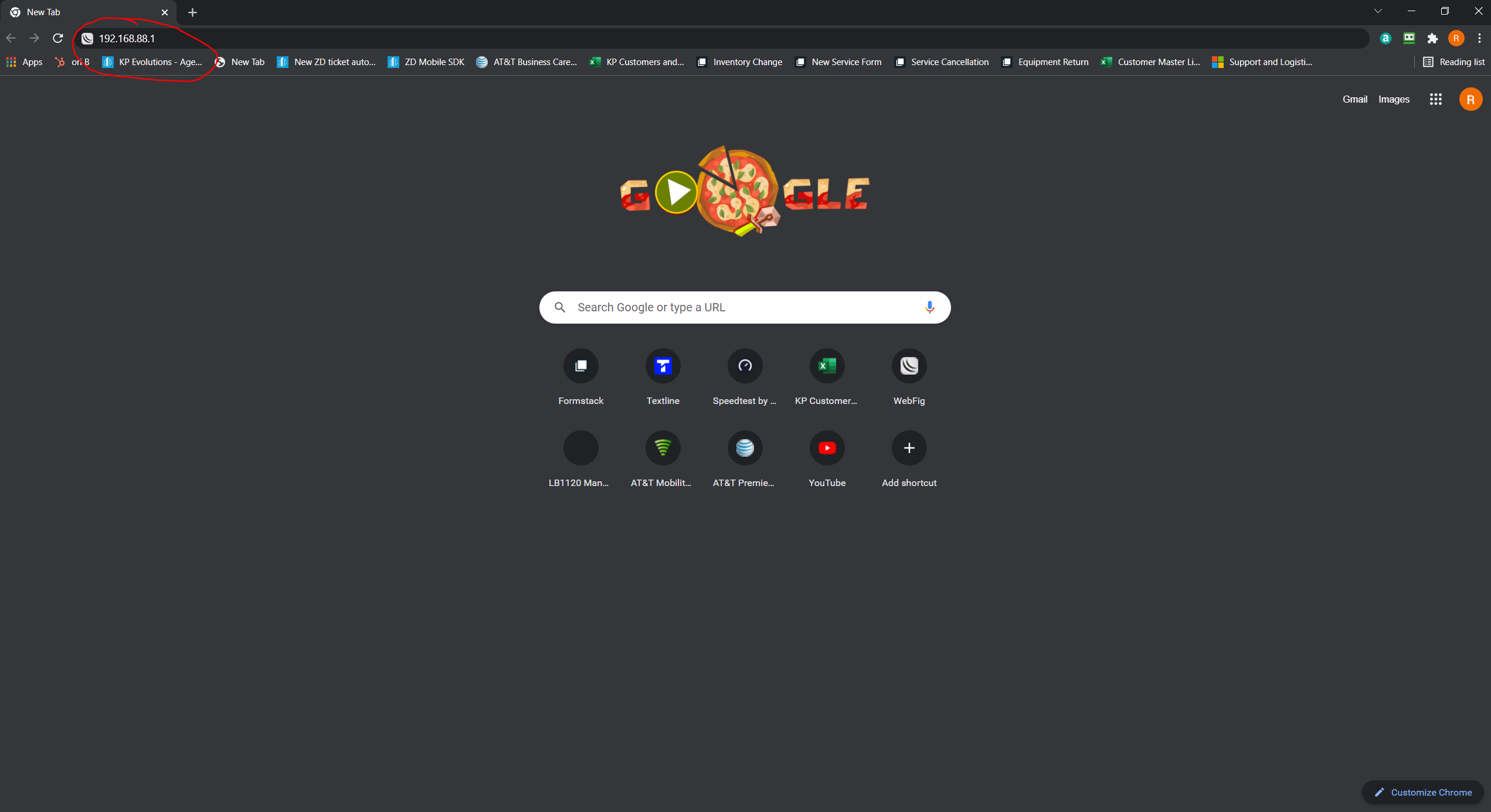
2. Once you press enter it should bring you to the screen listed in the picture below. If it asks for a password, leave it blank and click login. If it says your password is expired, just press cancel.
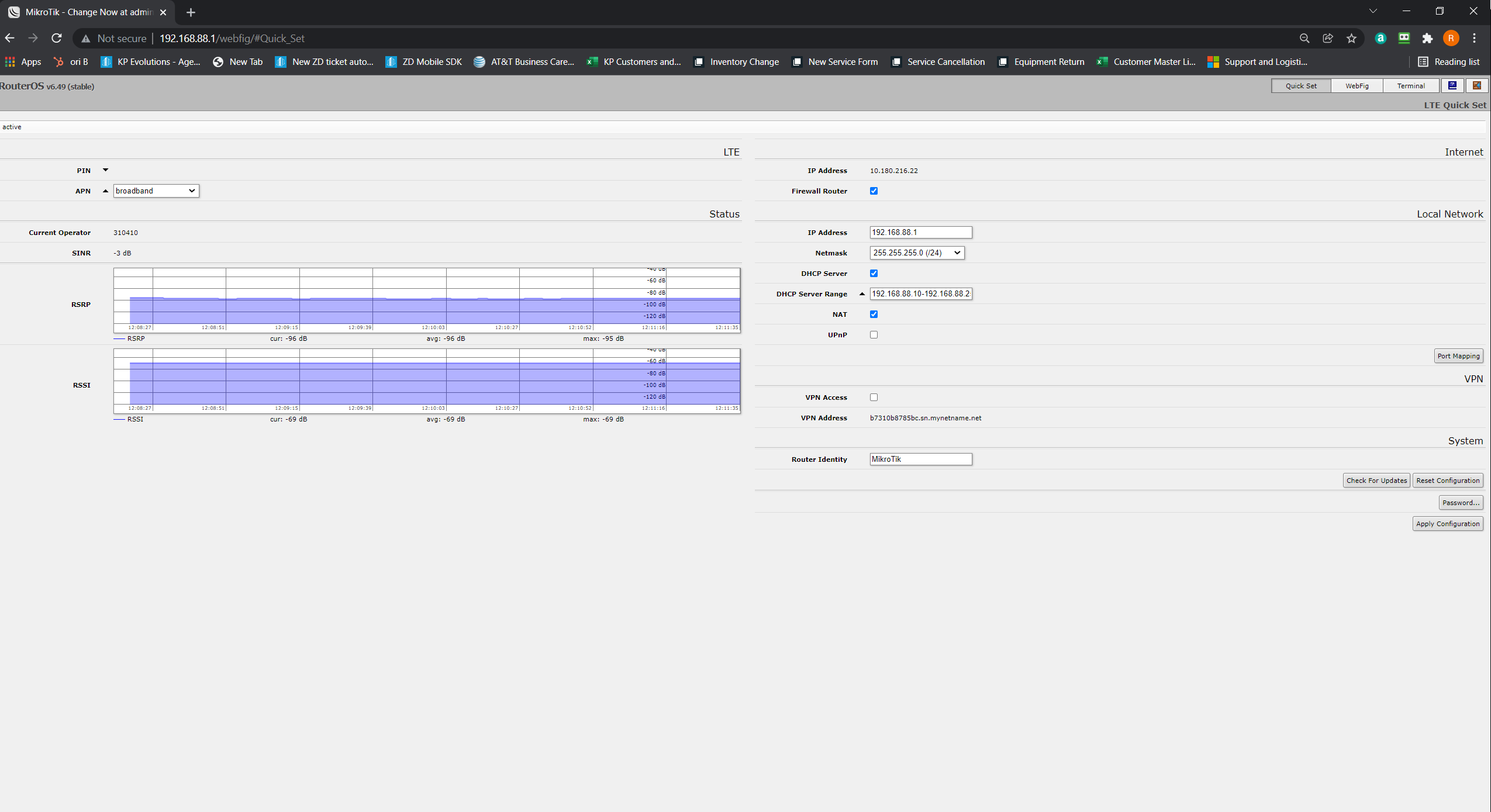
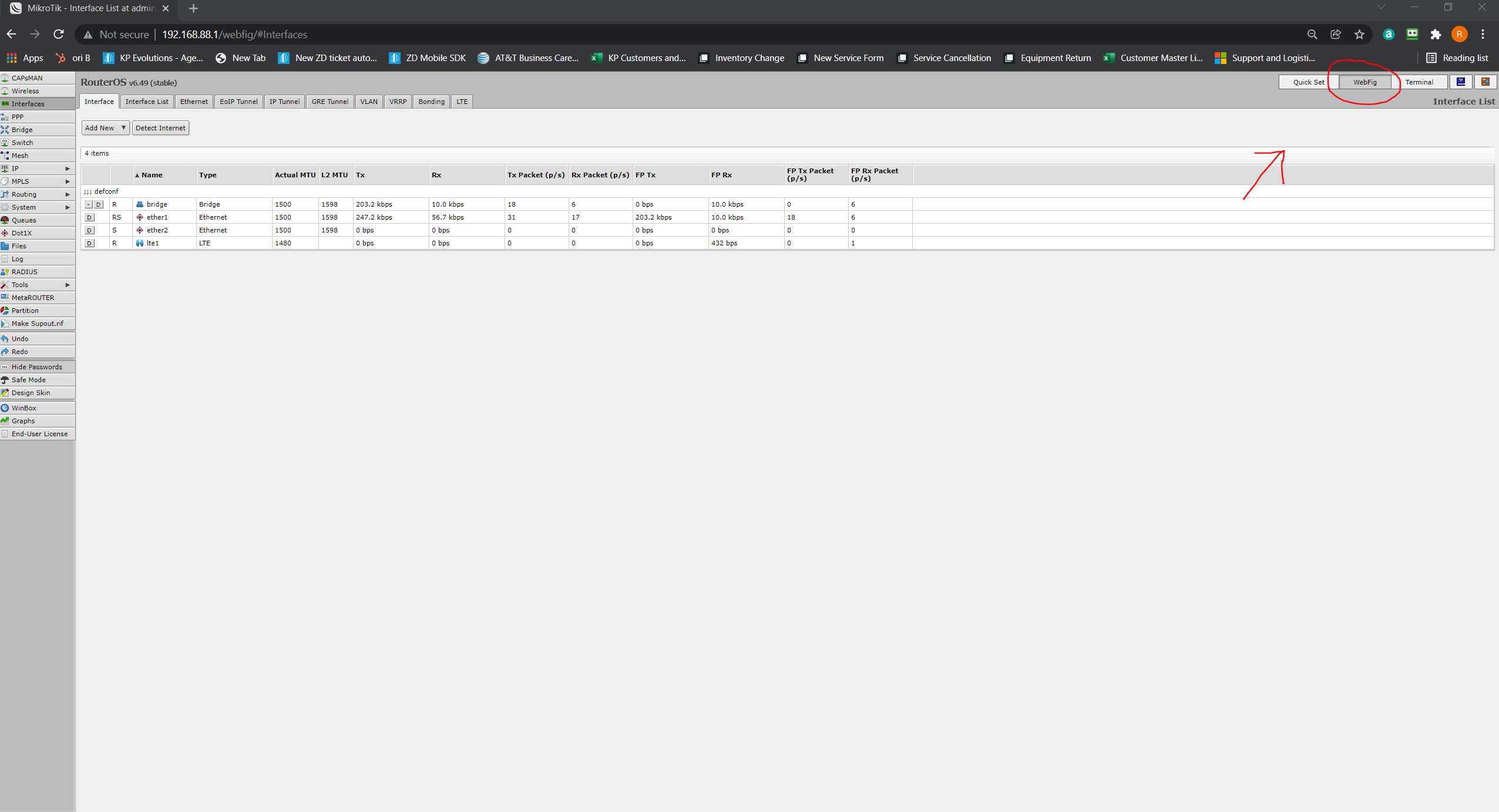
3 Next, click "Webfig" at the top right.
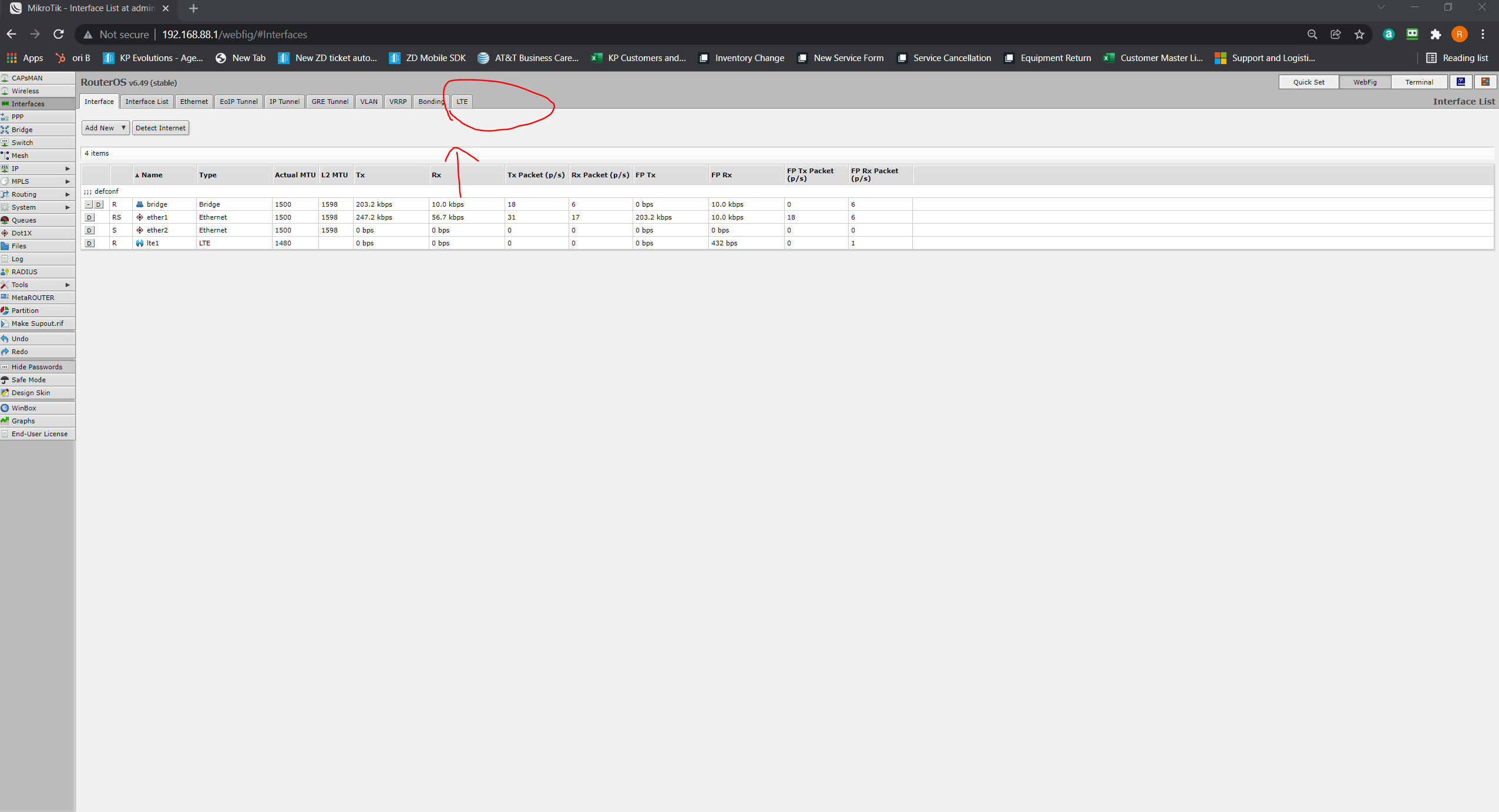
4. Then, click "LTE"
5. Click "lte1"
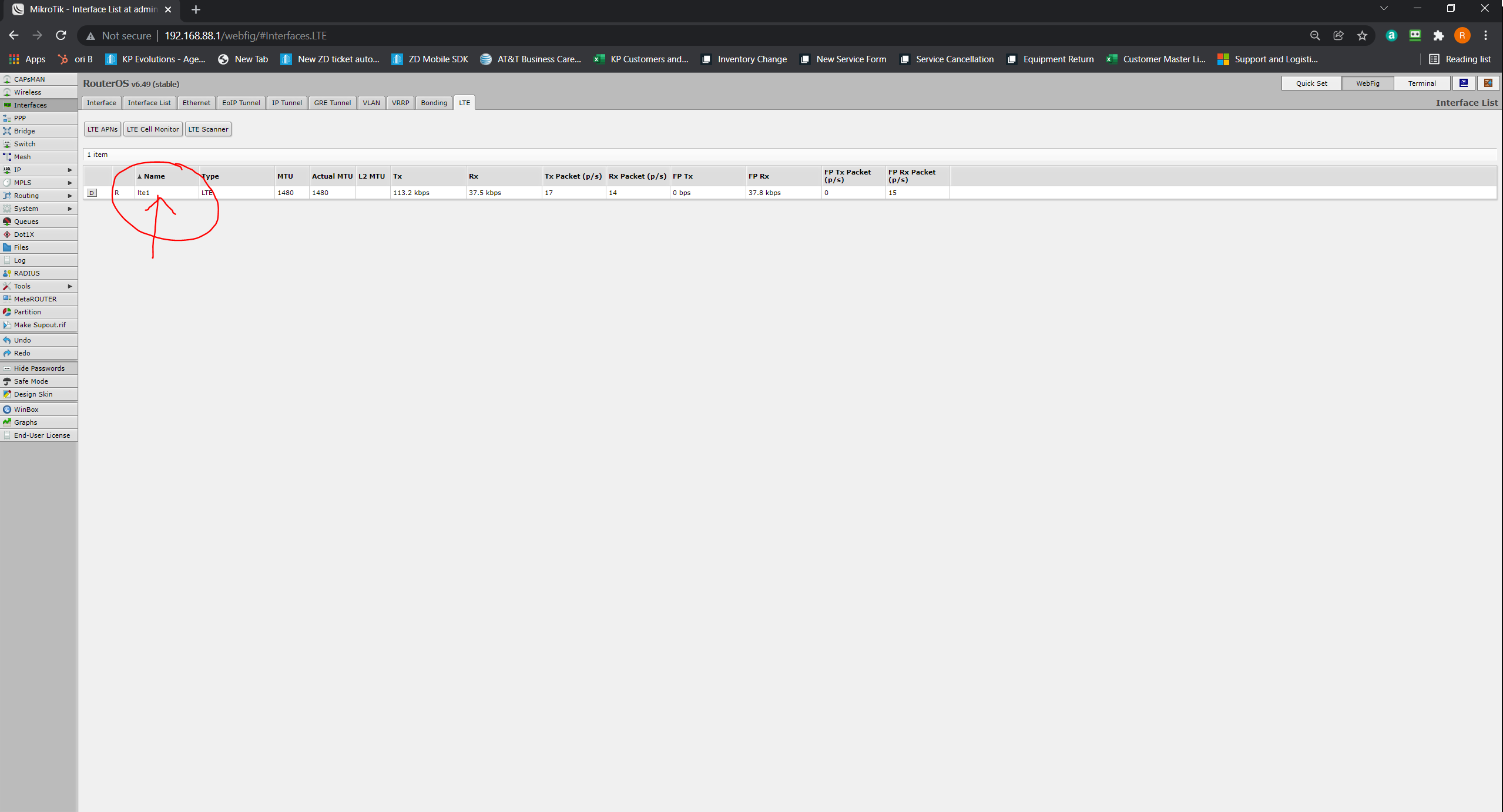
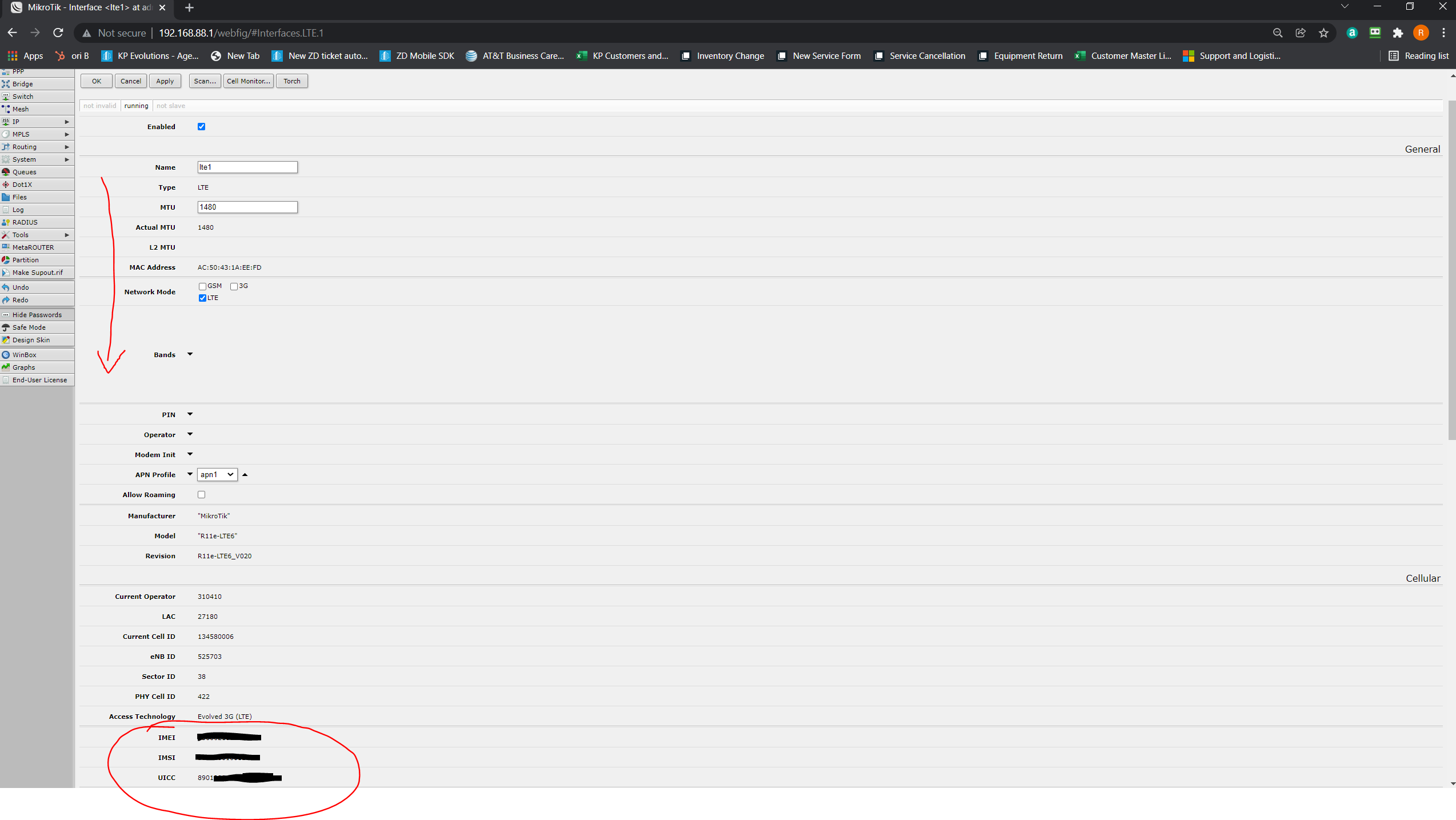
6. Scroll down to find the IMEI, the UICC (aka ICCID or sim card #), or any other needed information.
Comments
0 comments
Article is closed for comments.