1. From your connected device's web browser go to http://attwirelessinternet. Enter your Login (either attadmin or kpadmin) then click LOGIN.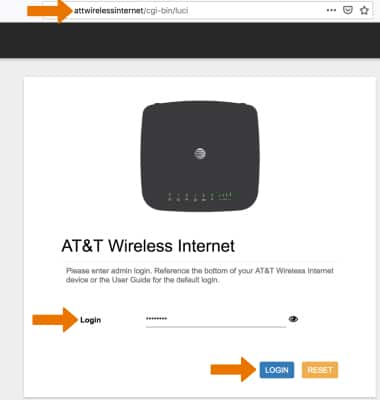
2. Click the Messages tab to view messages. Click the checkbox next to the desired message then click DELETE to delete the message.
Note: You will be prompted to click OK to confirm.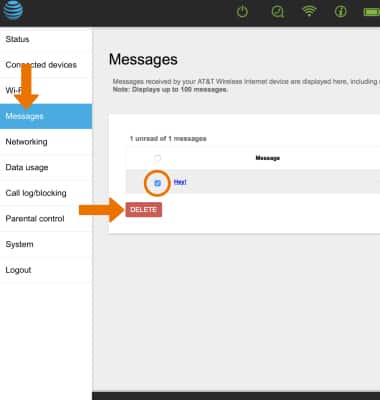
IFWA - Check Messages

Comments
0 comments
Article is closed for comments.