
- In your web browser go to 192.168.10.1
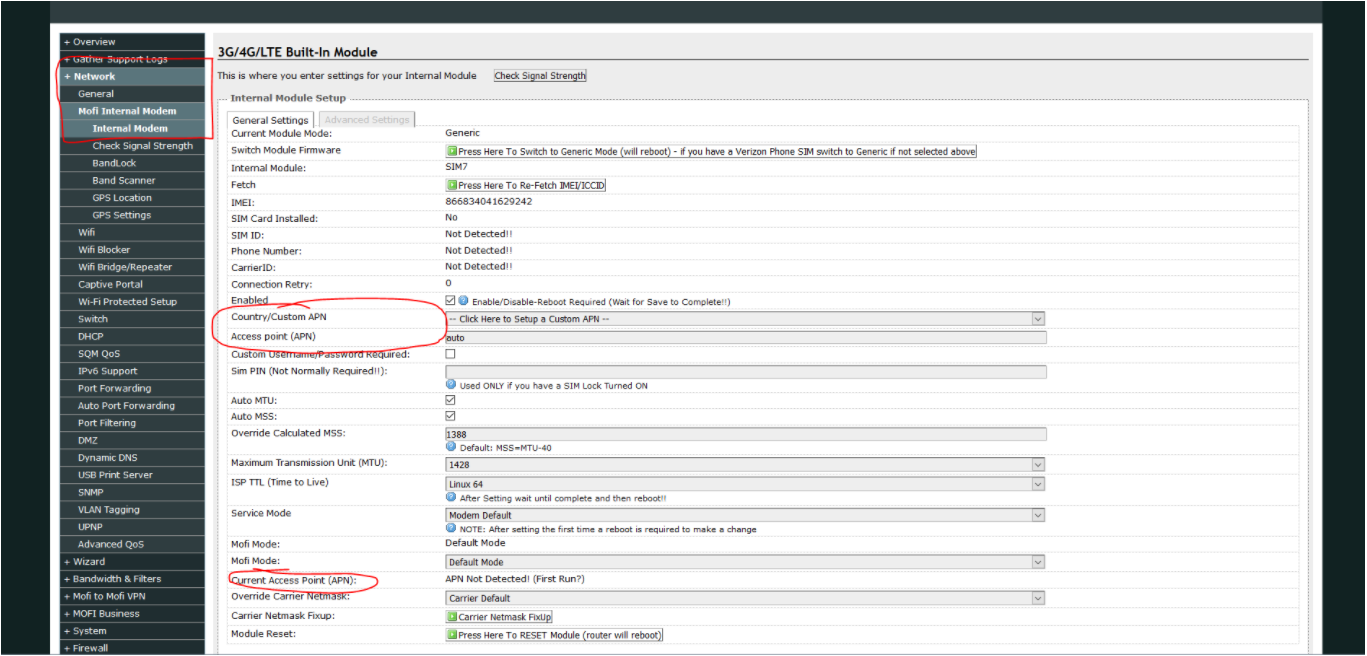
the password is admin - Click Network
Click Mofi Internal Modem - Click Internal Modem
- You will then scroll down to see Country/custom apn
- Select United States
- click the drop down beneath that and choose the carrier your sim card is through or use the provided customer APN by the agent in technical support
- Click Save
- After 30 seconds reboot your modem
Comments
0 comments
Article is closed for comments.