
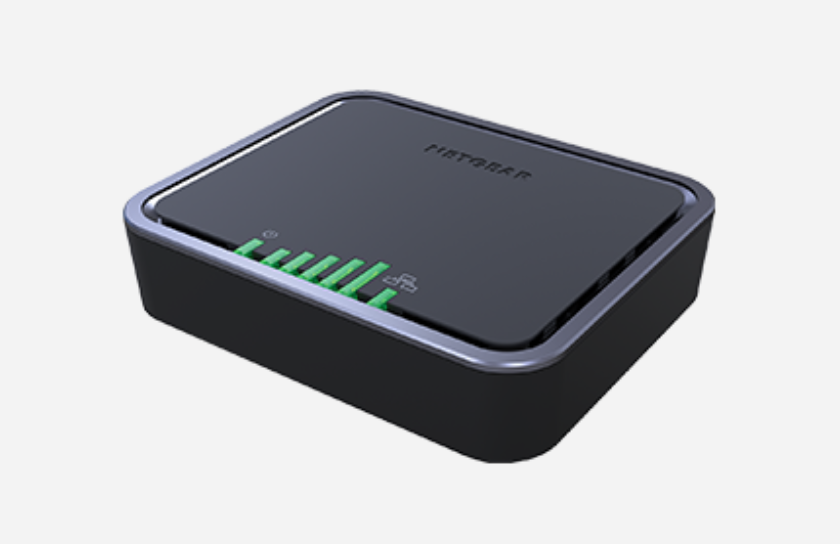
Factory Reset
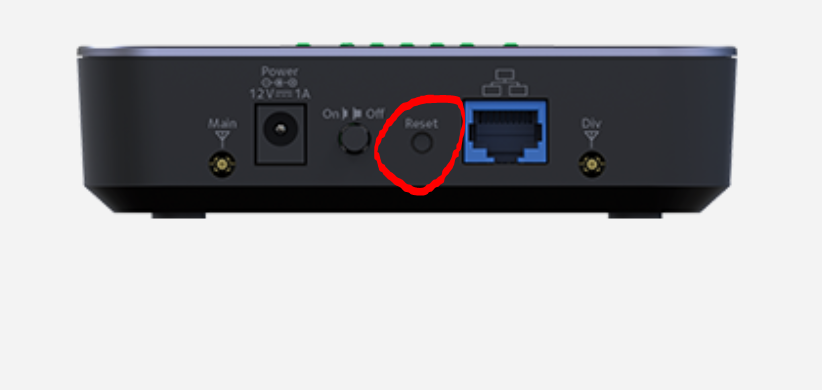
To start a factory reset, press and hold (for 15 seconds) the pin button on the back of the device next to the power button. This will cause the lights on the front to blink. Once complete the device will reboot internally. Plug into it via network cable for next step.
Login to your Modem
Make sure you are connected to the network of your LB1120 router. Once connected, open a web browser and go to "192.168.5.1"

Enter Login Credentials
The default password is on the underside of the modem unless you have already made any changes to this information after receiving the modem.
Software Settings
Once logged in you will see the dashboard. Tap the settings in the left menu.
Select Advanced. Then select LAN. Change the Operation Mode to BRIDGE. Also change the DHCP Server to Disabled. Say ok to the popup window asking about LAN IP
Hit SUBMIT at the bottom. Submit to confirm.
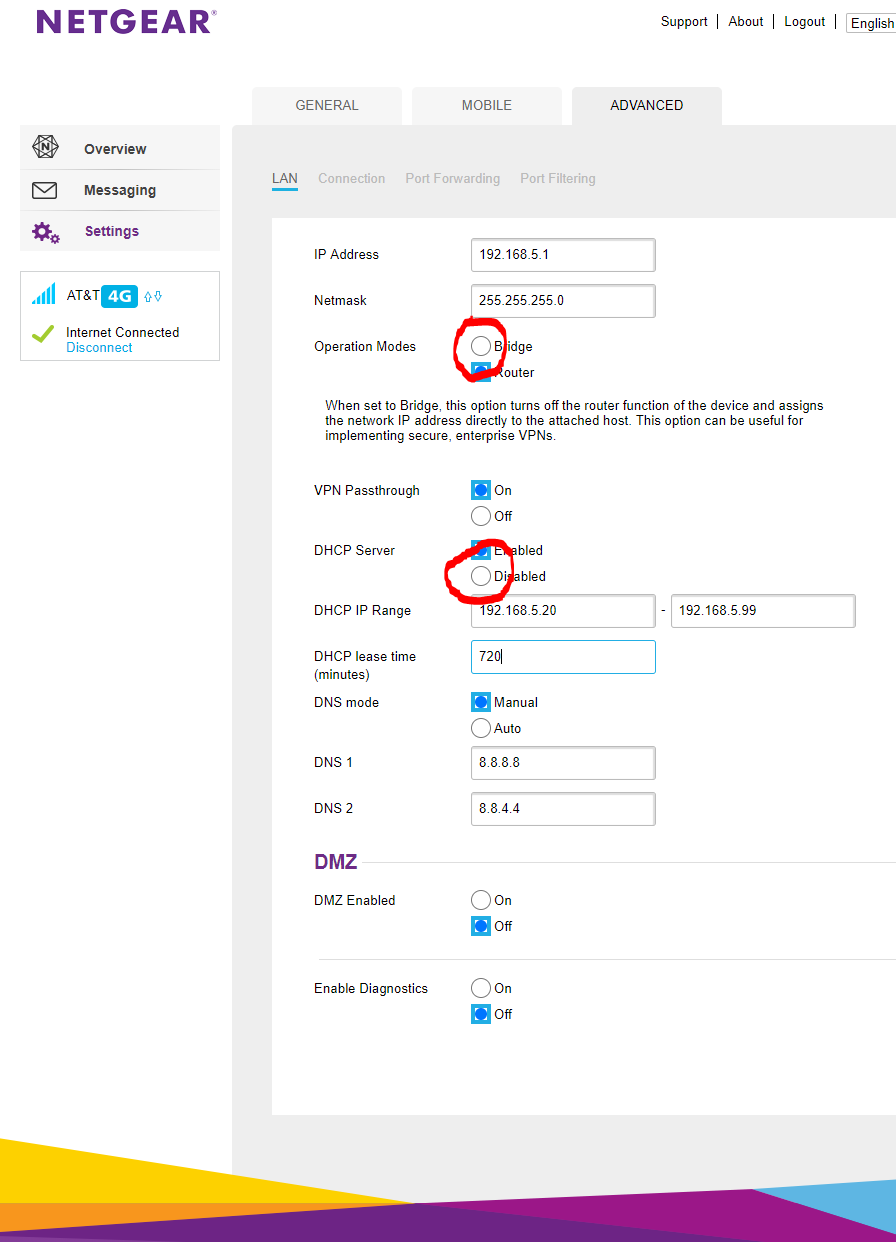
Device will now be in Bridge mode cut you can still reach the device at 192.168.5.1 and if not, try a factory reset to default everything back.
Comments
0 comments
Article is closed for comments.