
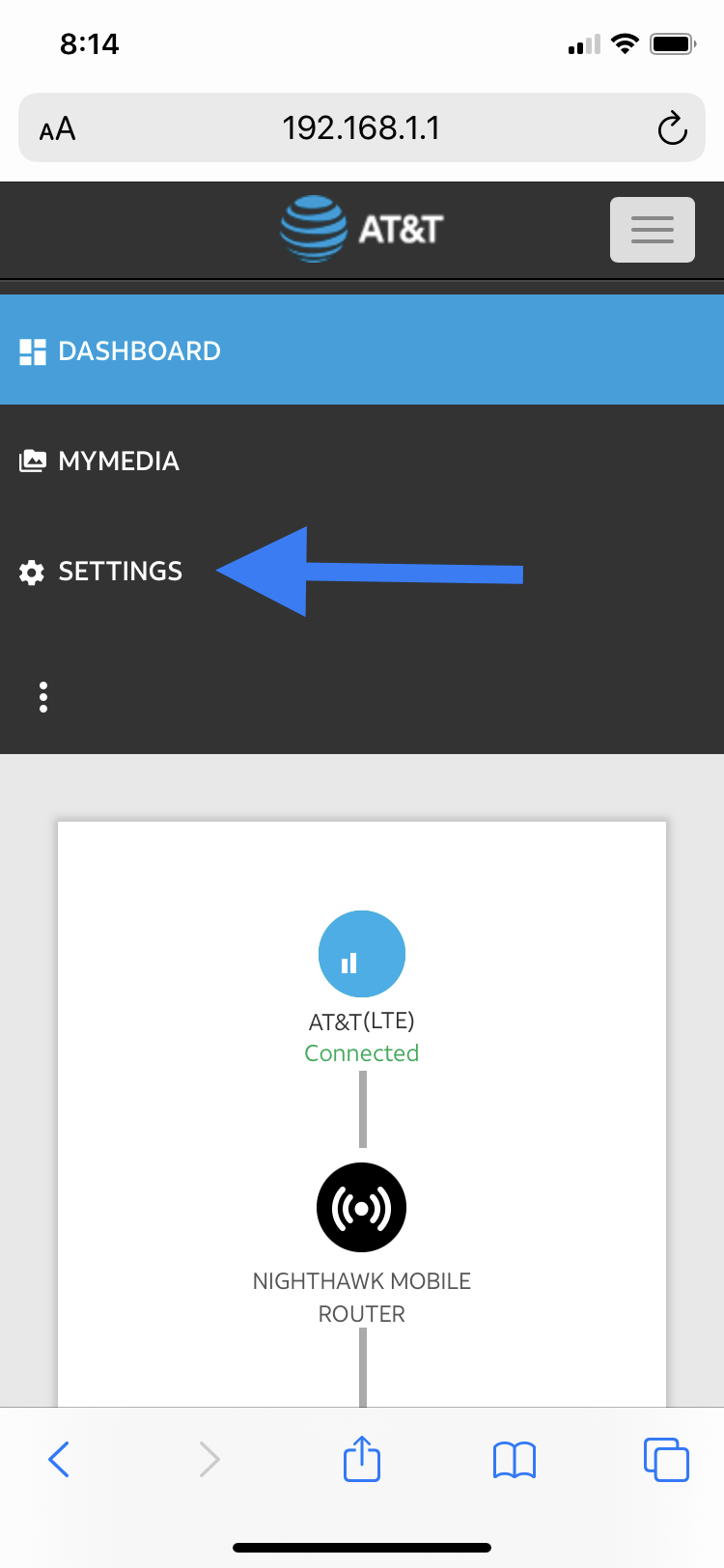
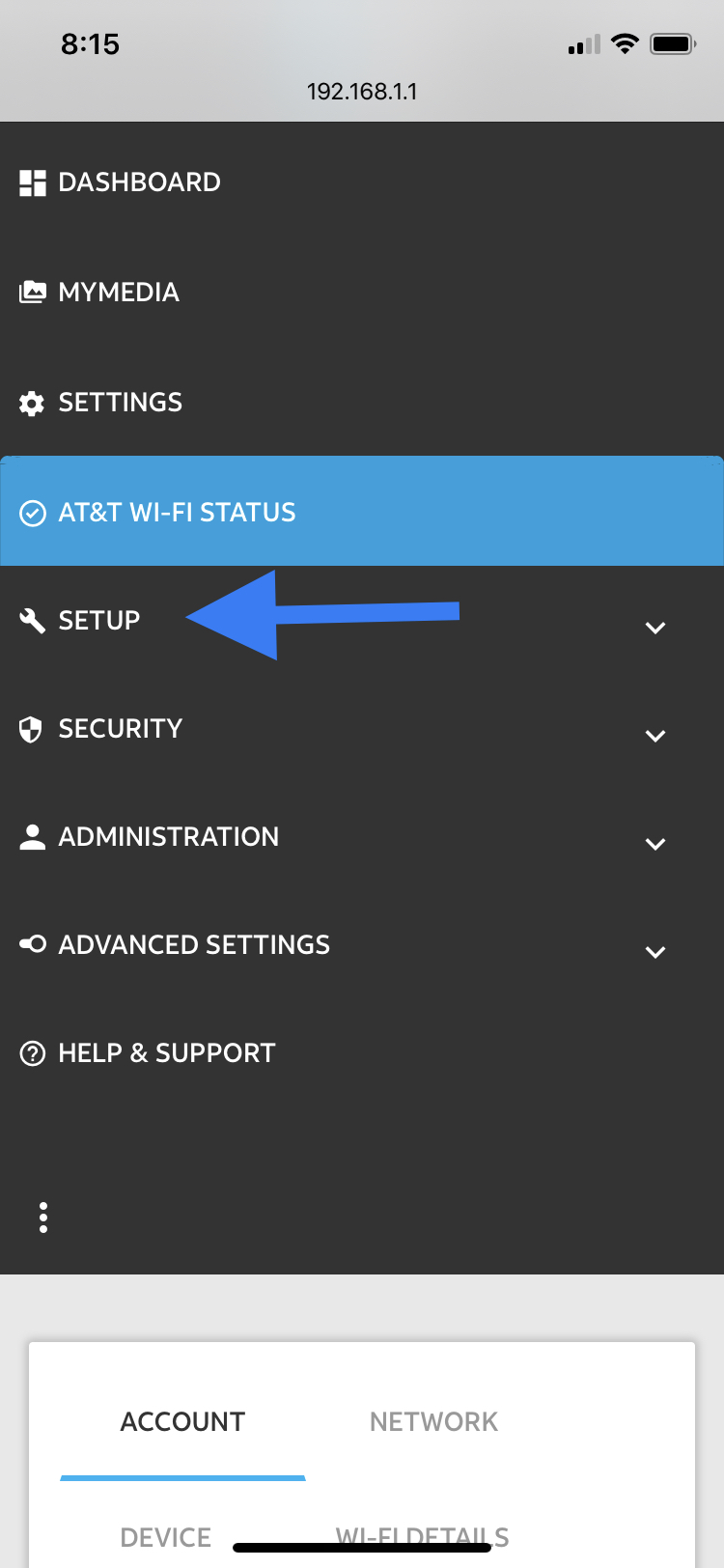
Once logged into the device you will click Settings>Setup>Mobile Router Setup.
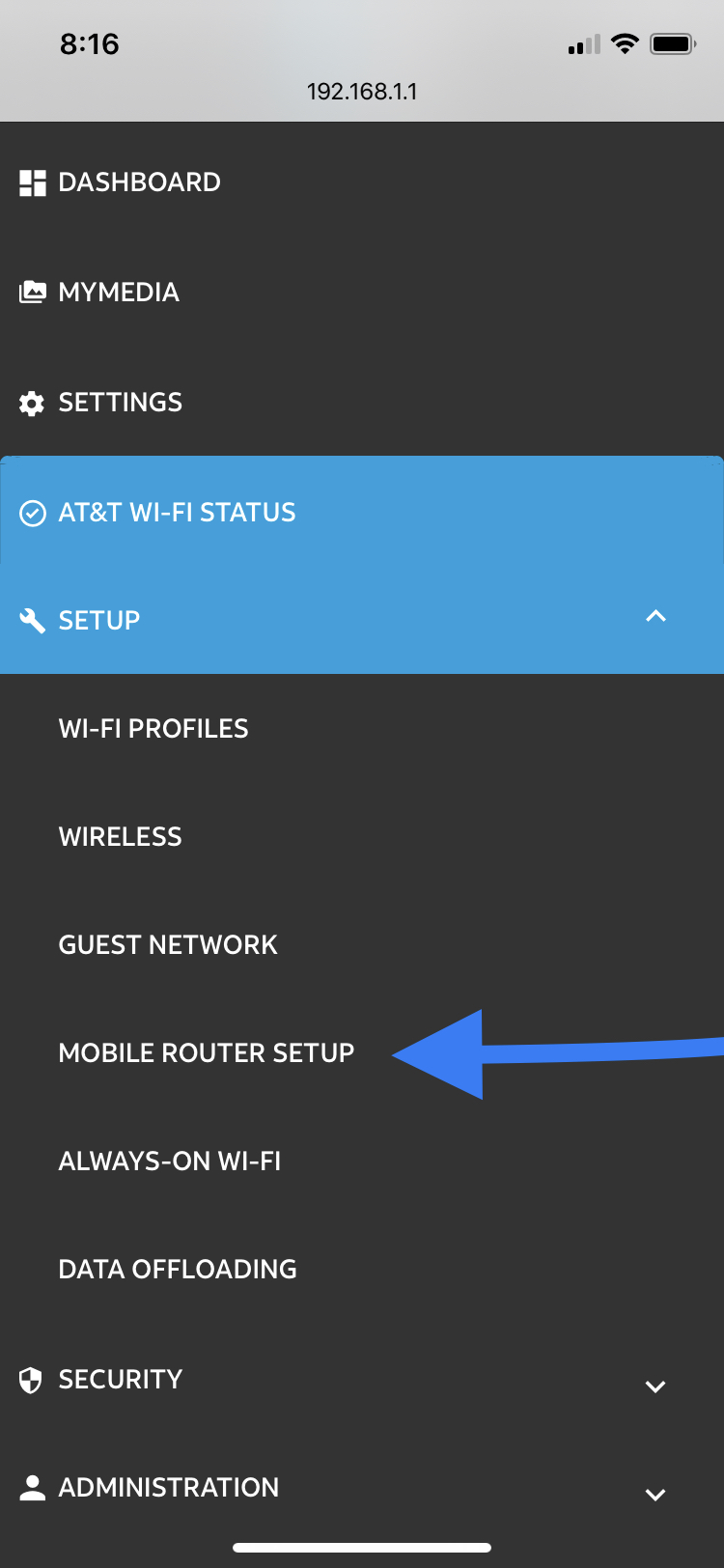
From here you will see the ON and OFF buttons for IP passthrough.
Select *ON disables wifi on the mobile router*
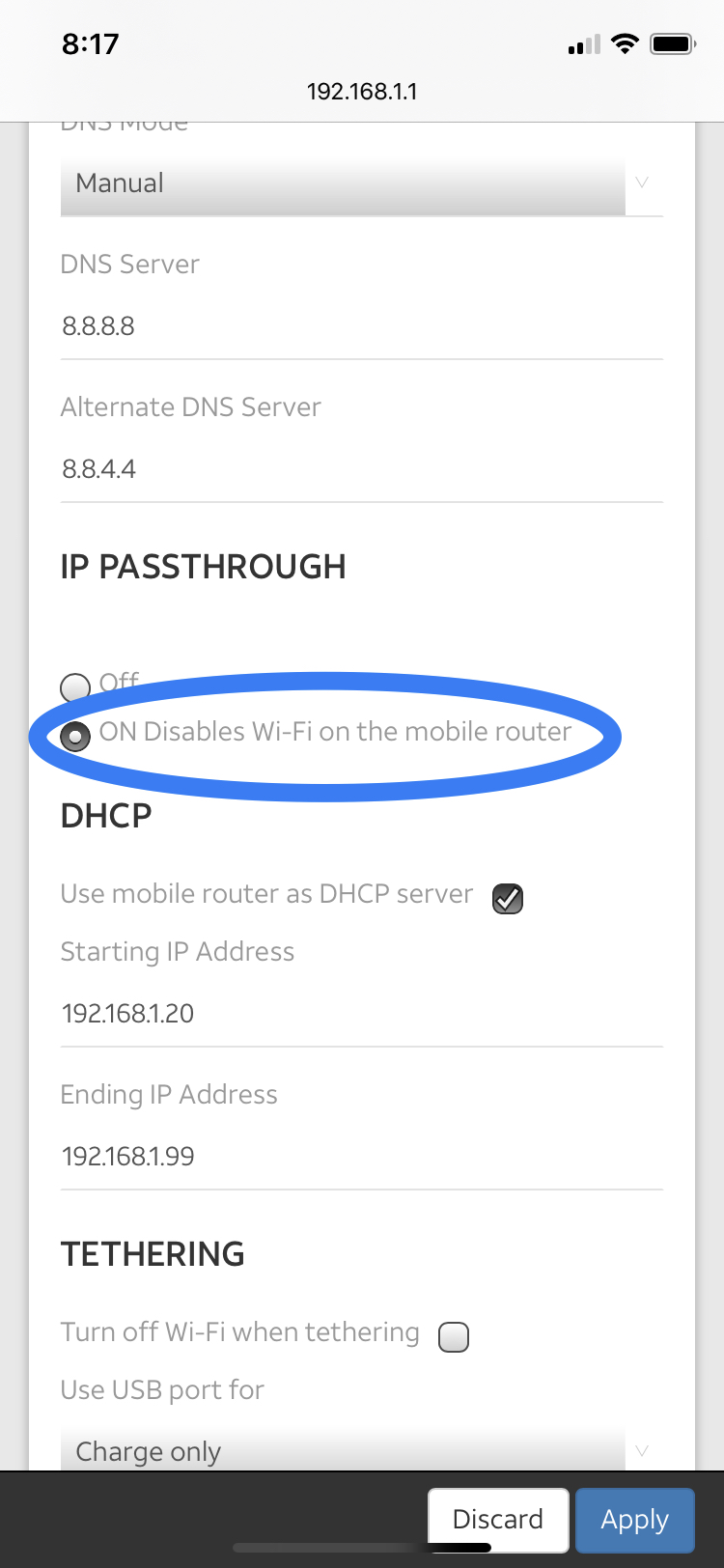
The next option below is to turn off DHCP router Function, so you will uncheck the *use mobile router as DHCP server*
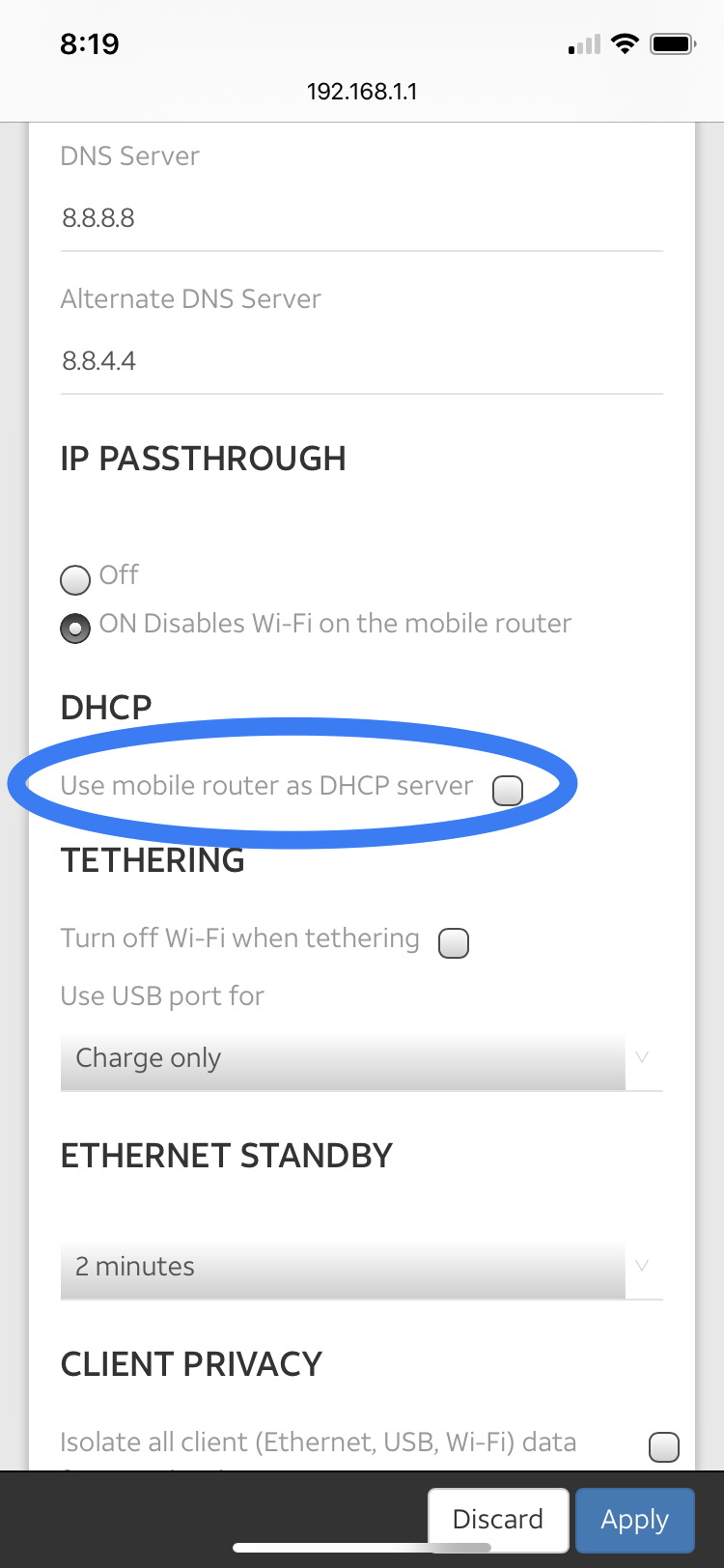
Hit apply and it will reboot with the changes.
This is also how you will turn the features back on. However, you will need to be hard-lined directly into it to make these changes back since wifi has been disabled at this point.
One more thing to note, if the router you are using behind our modem uses the same address of 192.168.1.1 then there may be conflict. Change the modem box to something else like 192.168.5.1 for example.
You will change this on the same page as those other options shown above.
Setting>Setup>Mobile Router Setup
At the very top of the page, there is the *Gateway IP address*.
Changing it from 192.168.1.1 to 192.168.5.1 will avoid any future issues.
Hit apply and it should reboot.
Hit apply and it will reboot with the changes.
This is also how you will turn the features back on. However, you will need to be hard-lined directly into it to make these changes back since wifi has been disabled at this point.
One more thing to note, if the router you are using behind our modem uses the same address of 192.168.1.1 then there may be conflict. Change the modem box to something else like 192.168.5.1 for example.
You will change this on the same page as those other options shown above.
Setting>Setup>Mobile Router Setup
At the very top of the page, there is the *Gateway IP address*.
Changing it from 192.168.1.1 to 192.168.5.1 will avoid any future issues.
Hit apply and it should reboot.
Comments
0 comments
Article is closed for comments.