
There is an app in the app store that links with your wireless router that can change many settings on it. This post will walk you through how to get it and use it.
1. Download the app
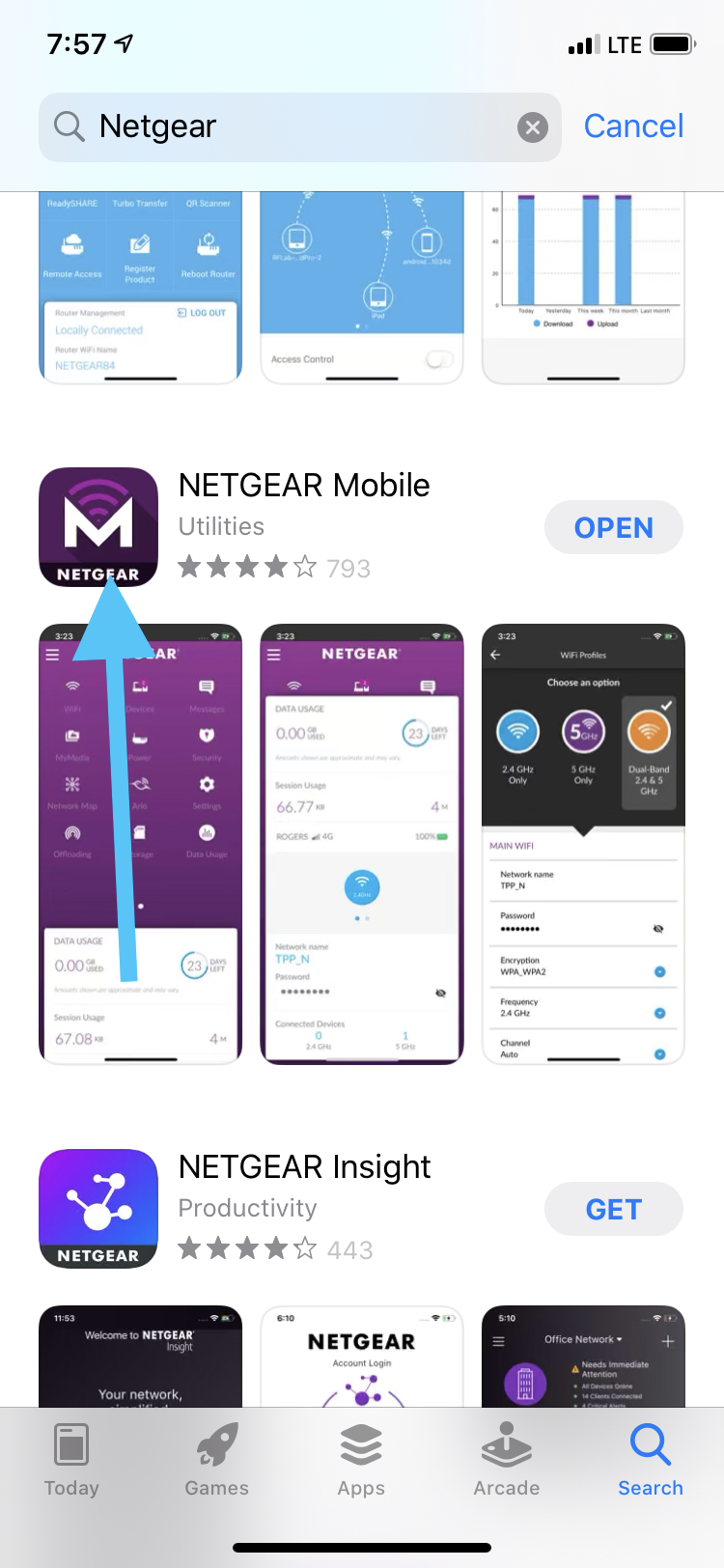
- Go to the app store and type in "Netgear"
- Scroll down until you see the app with a purple background and a white M
2. Open app and login
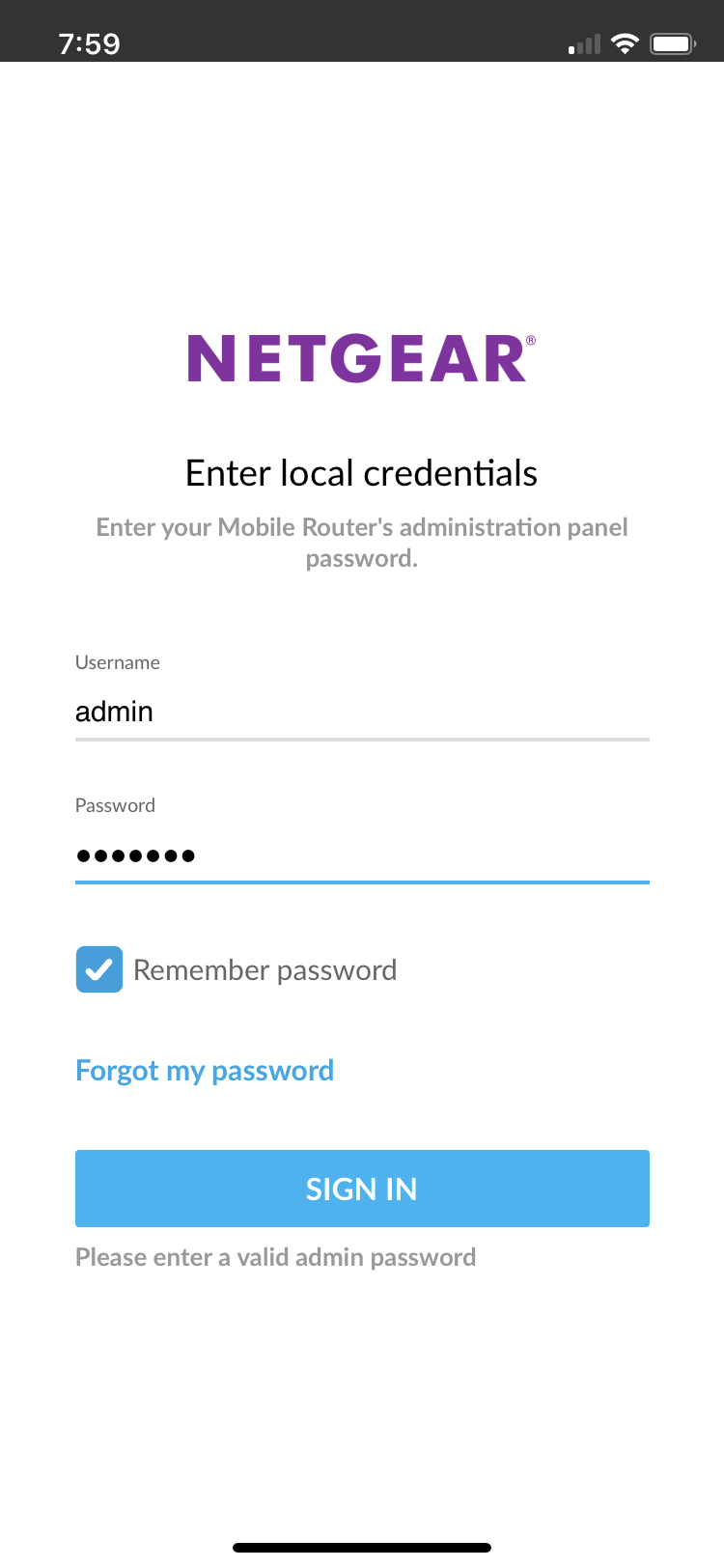
- First, make sure you are connected to your wireless routers wifi. Otherwise, you won't be able to log in.
- After opening the app, it will ask for a user name and password. The username should already be filled in (the username is: admin).
- The password is: kpadmin or attadmin
3. Click on the WiFi button
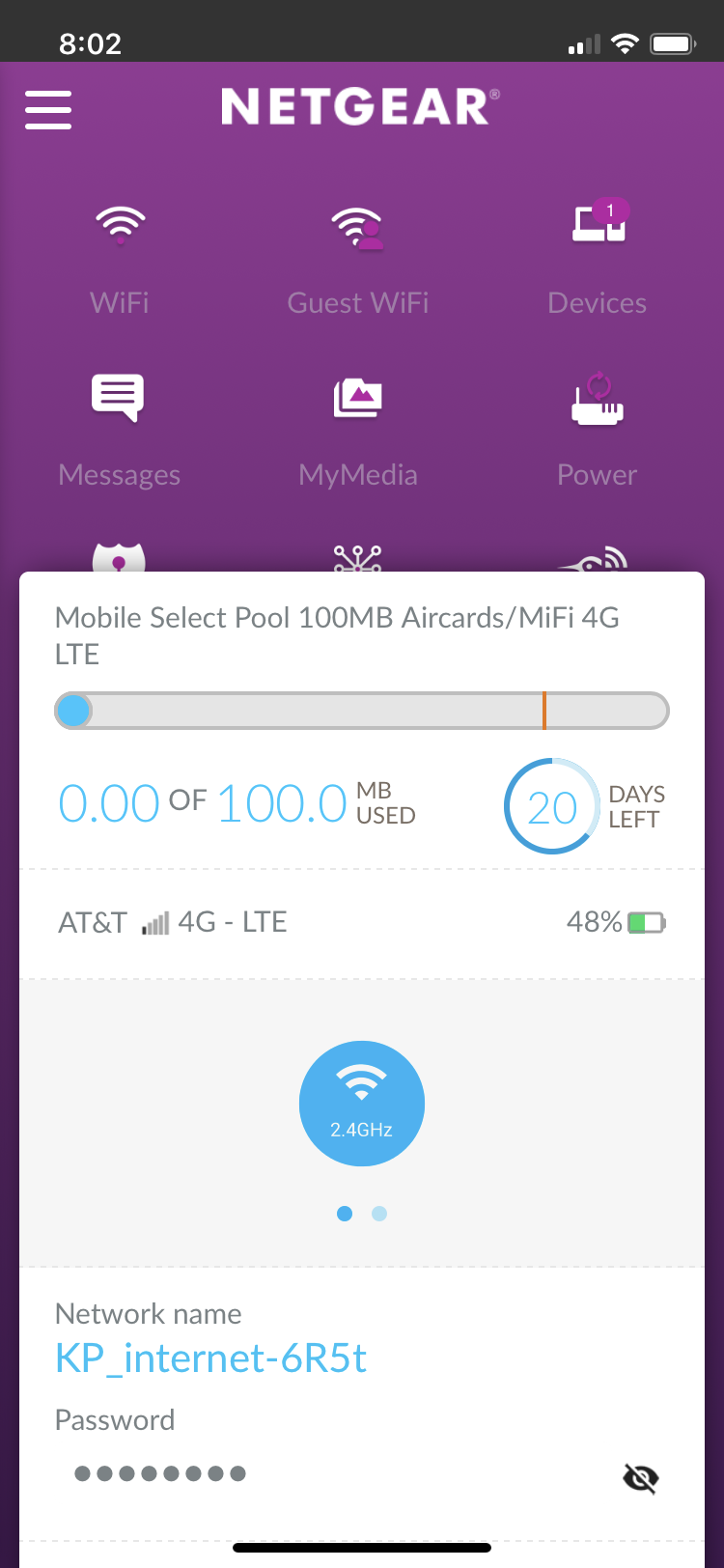
- After logging into the app, you will see the main screen.
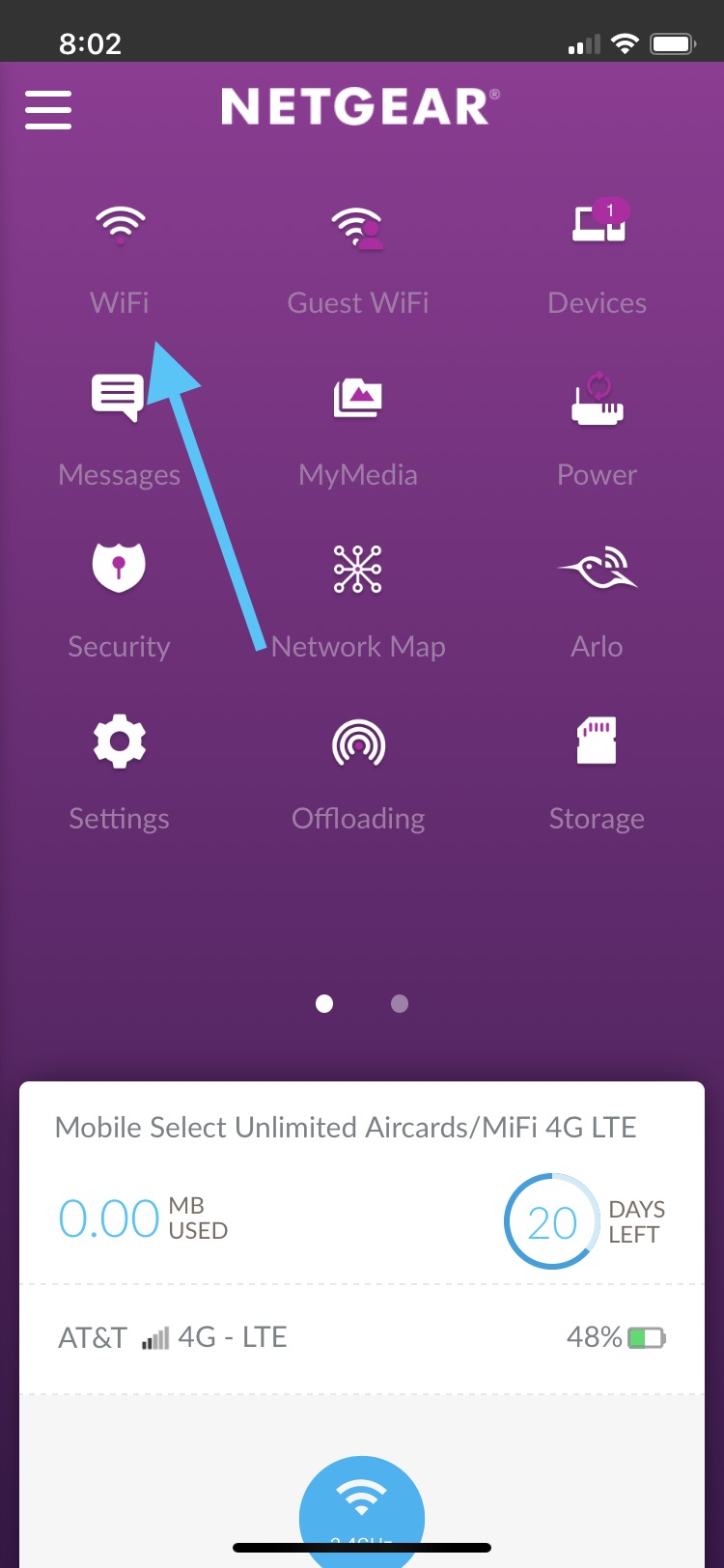
- Slide the white slide down and click on the WiFi button.
4. Choose new username and password
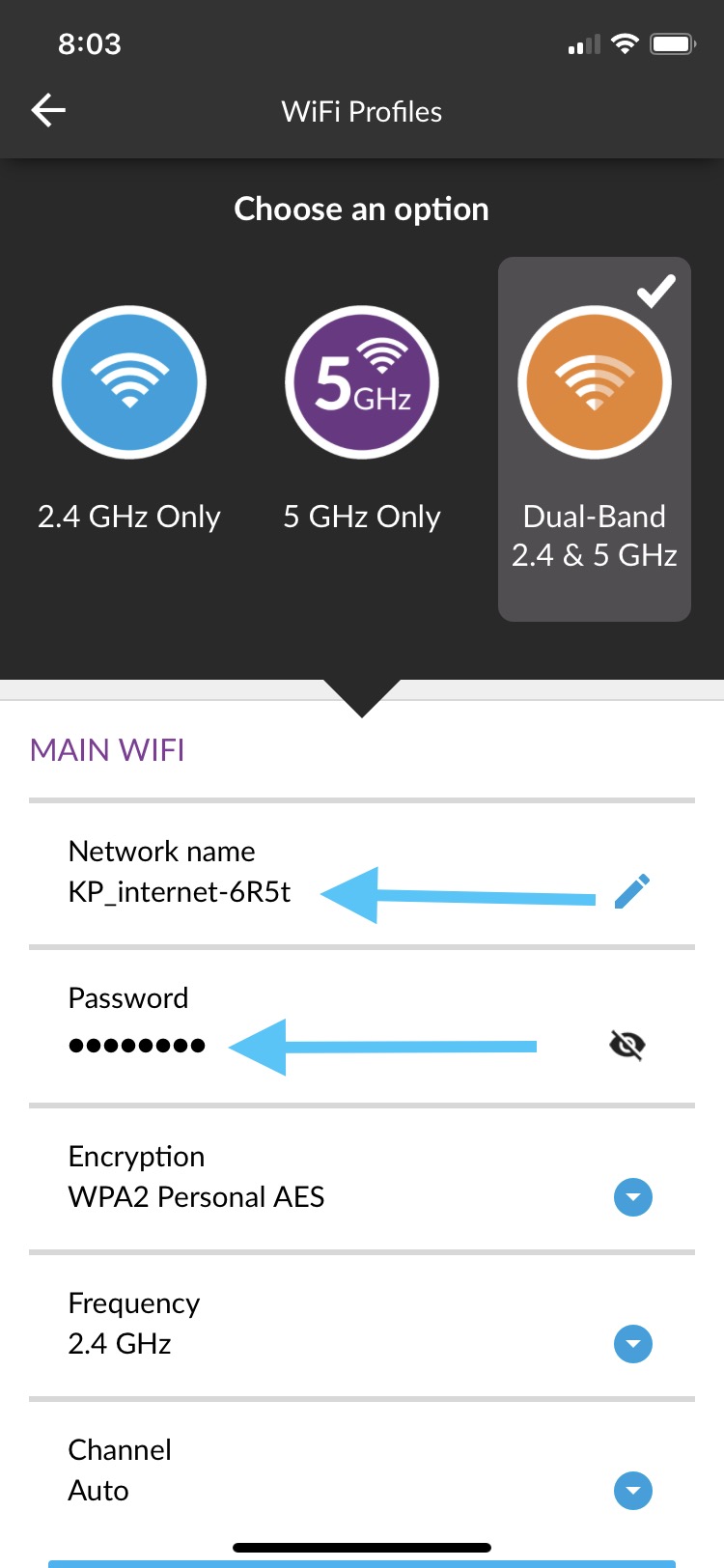
- After clicking the WiFi button, it will take you to the page where you can change the network name and password.
- Scroll down a little and you can change your name and password for your home WiFi!
Comments
0 comments
Article is closed for comments.