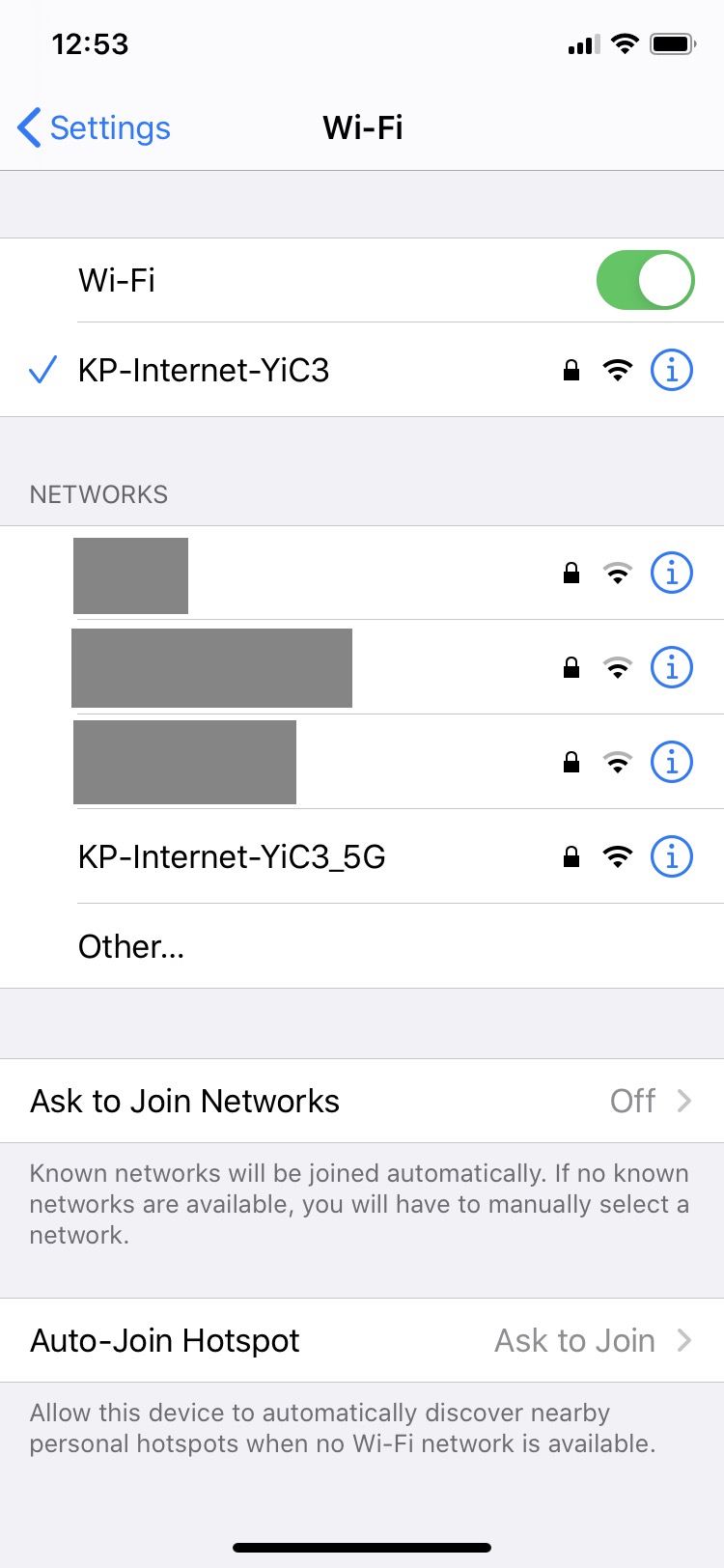
First, join the WiFi of the modem directly. If you have another router or mesh network installed with the same SSID and password then unplug your router/mesh system to make sure you are connecting to the modem directly.
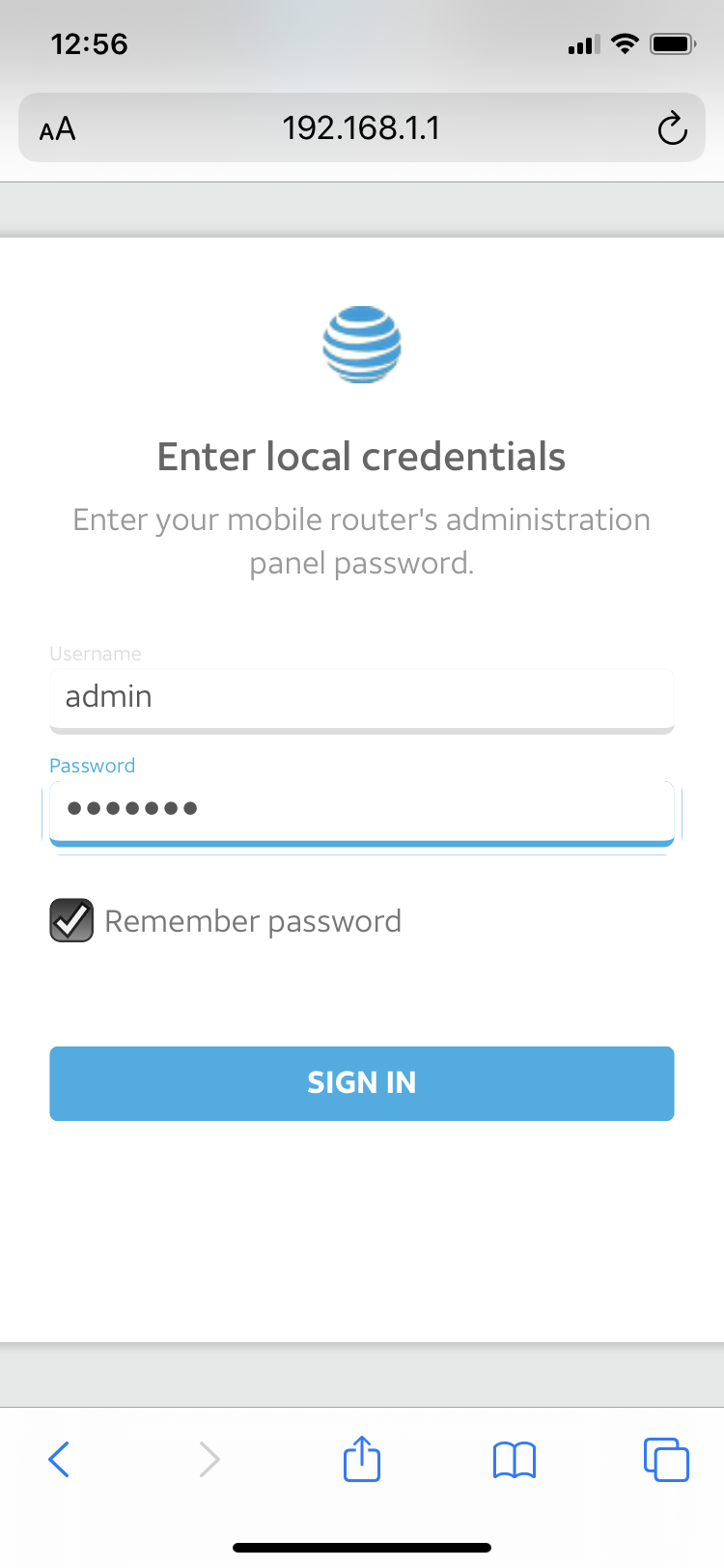
Next you'll want to go to the following address: 192.168.5.1 or 192.168.1.1
The user name is "admin" and the password should be "kpadmin" unless you have changed it after your installation
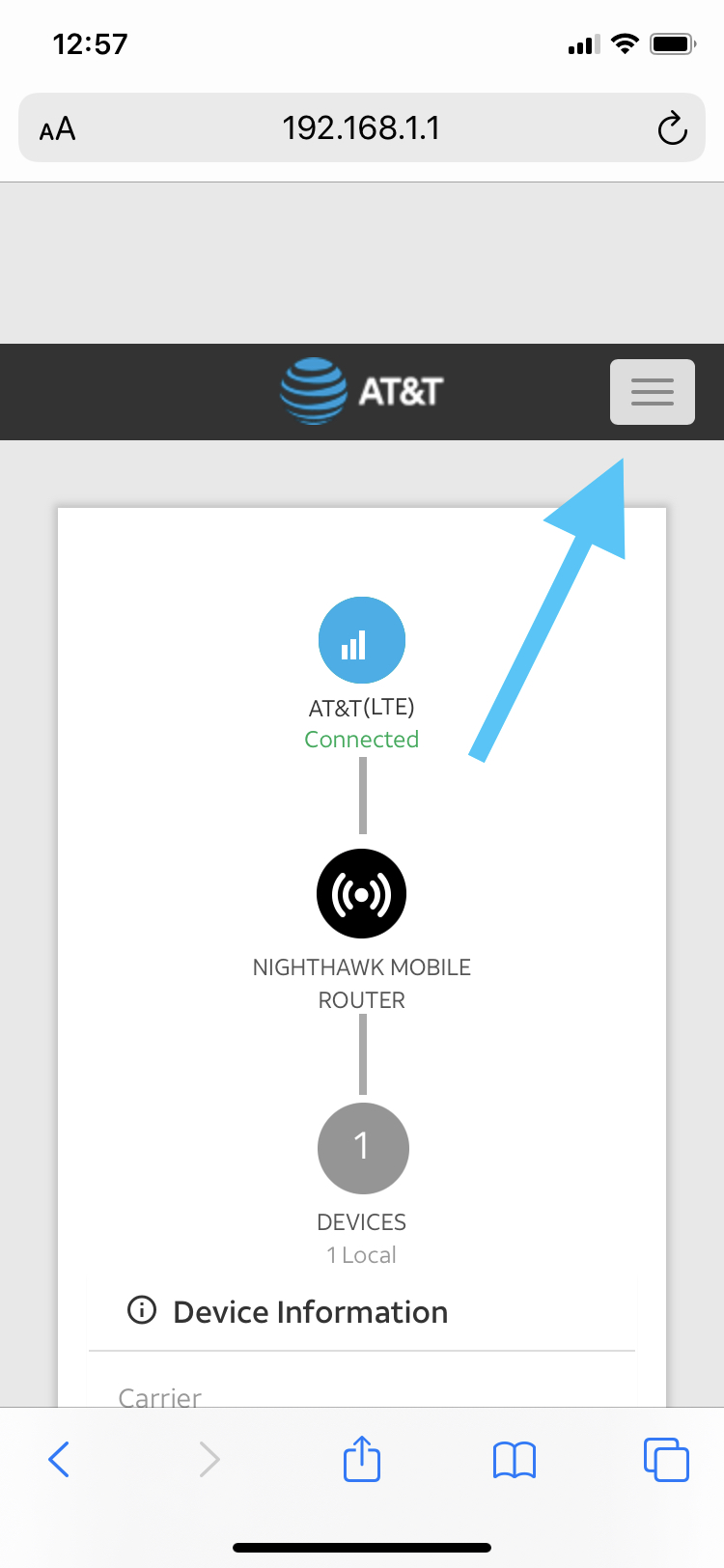
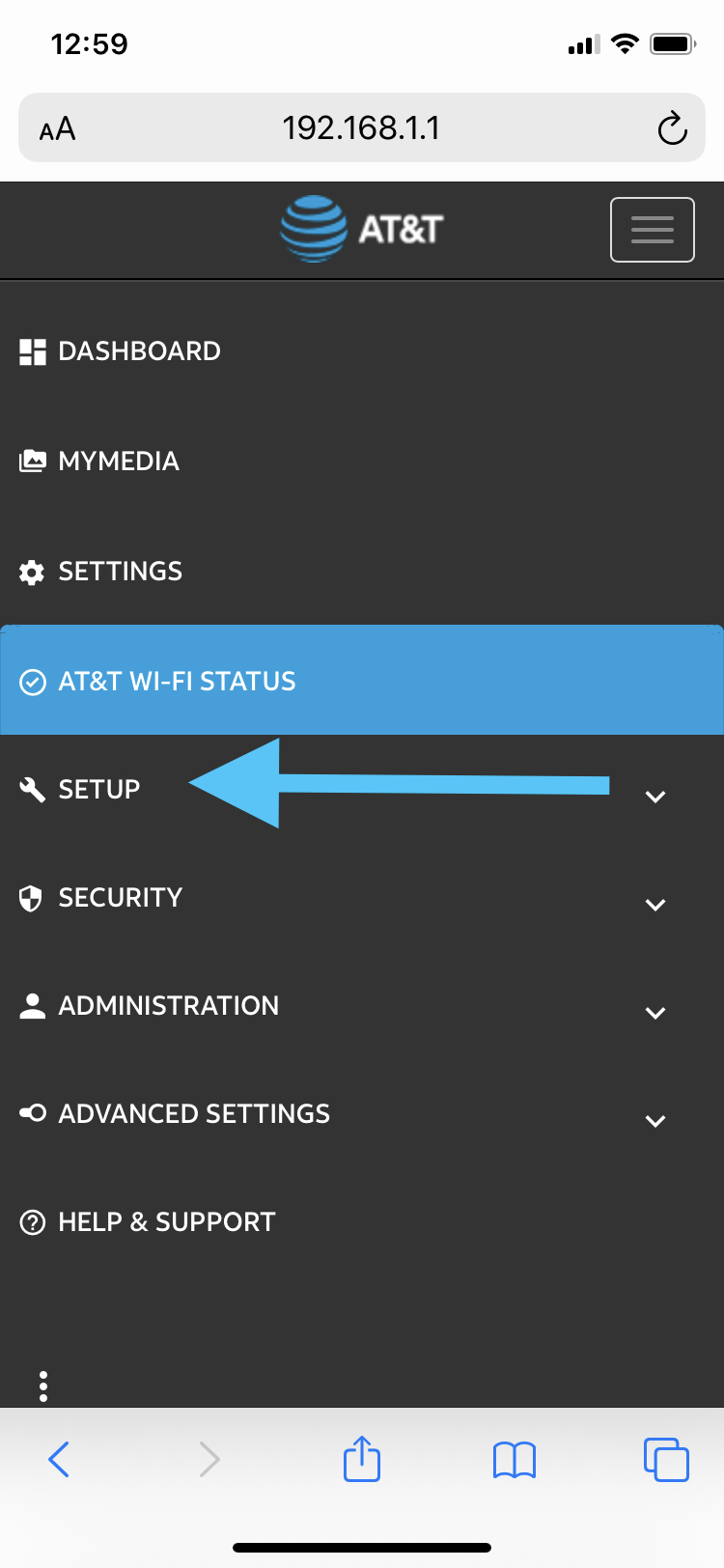
Press the button in the upper right corner with the 3 lines to open the menu.
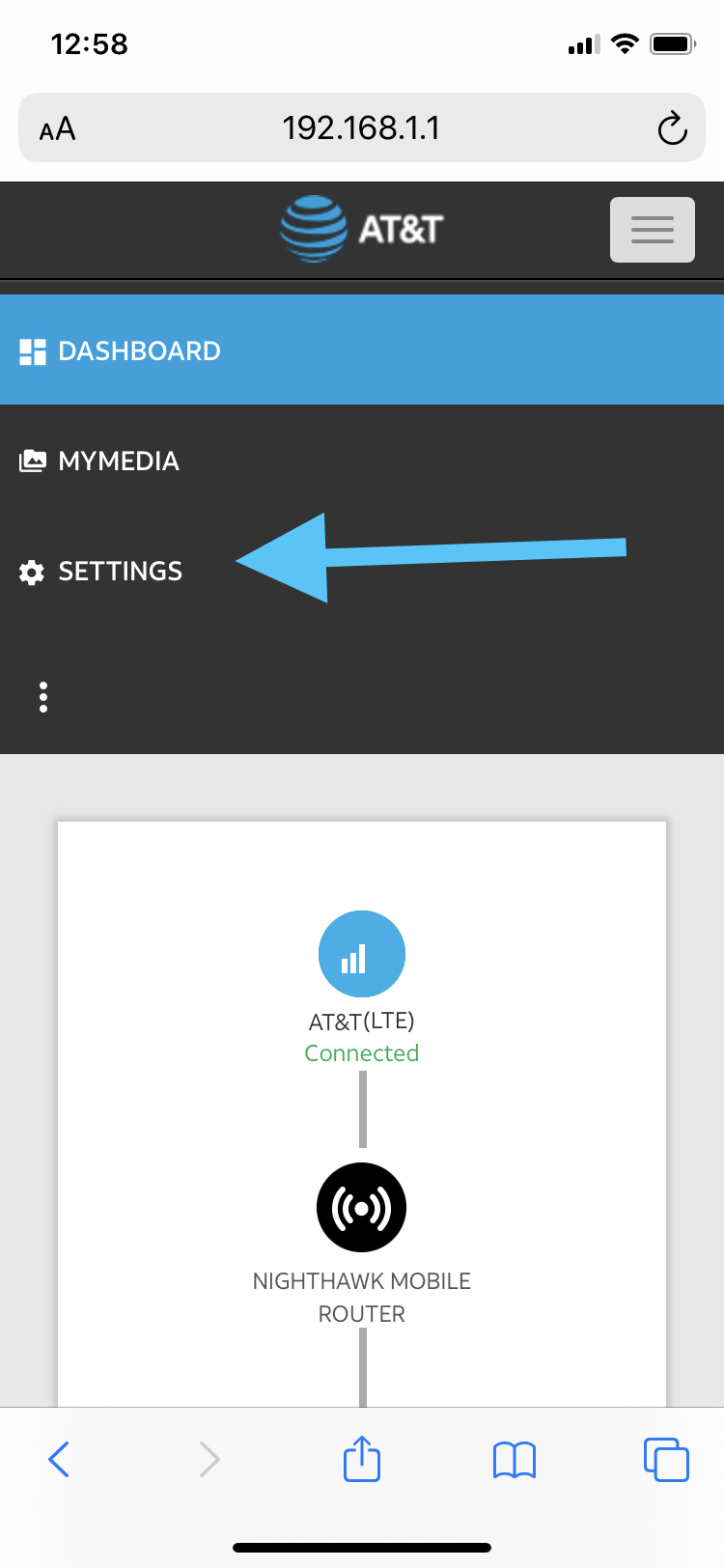
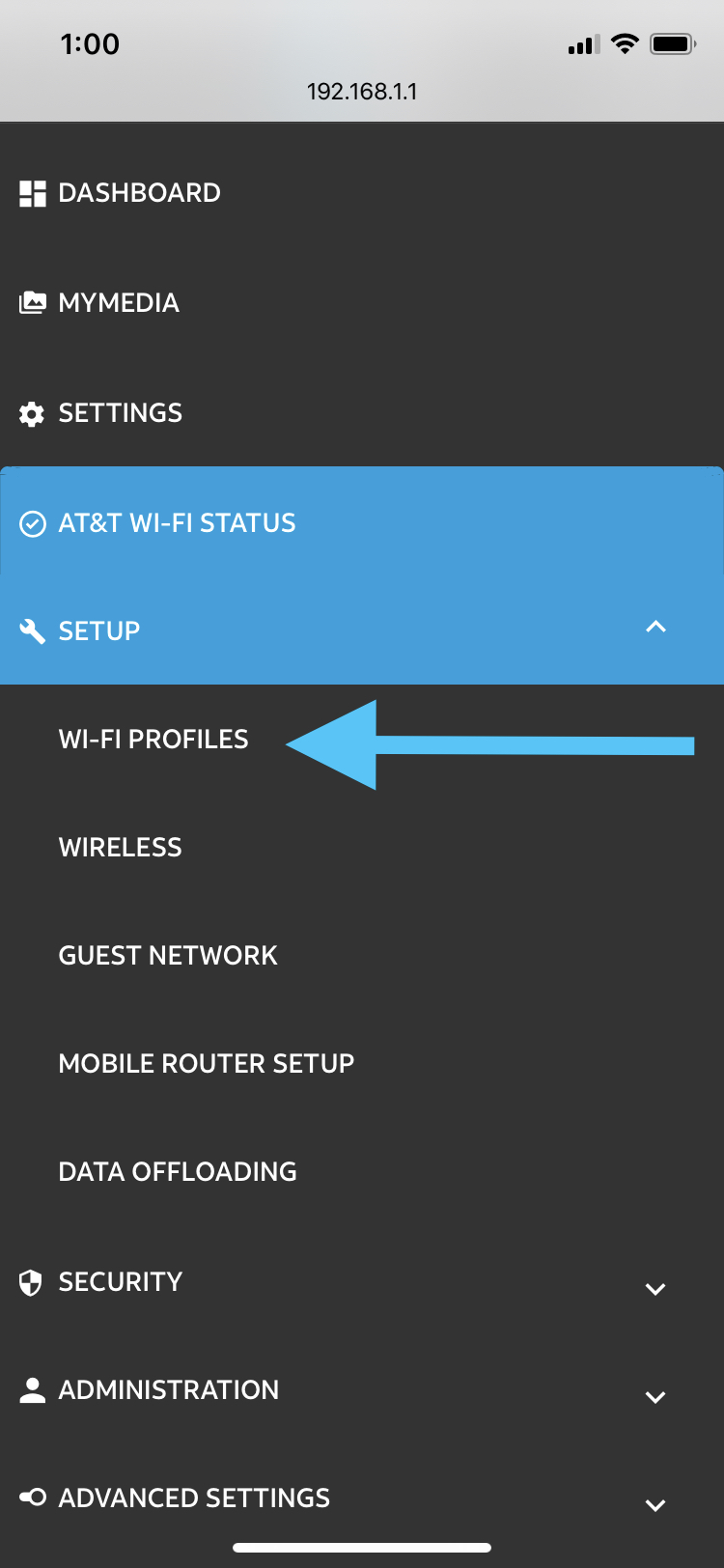
Choose "settings" -> "setup" ->"wifi profiles"
From this screen, you can choose to disable the wifi on the modem.


Comments
0 comments
Article is closed for comments.